
Electronics in Storage: How to Protect Your Devices Until You Need Them Again
Electronics in Storage: How to Protect Your Devices Until You Need Them Again
Josh Summerhays
October 22nd, 2026
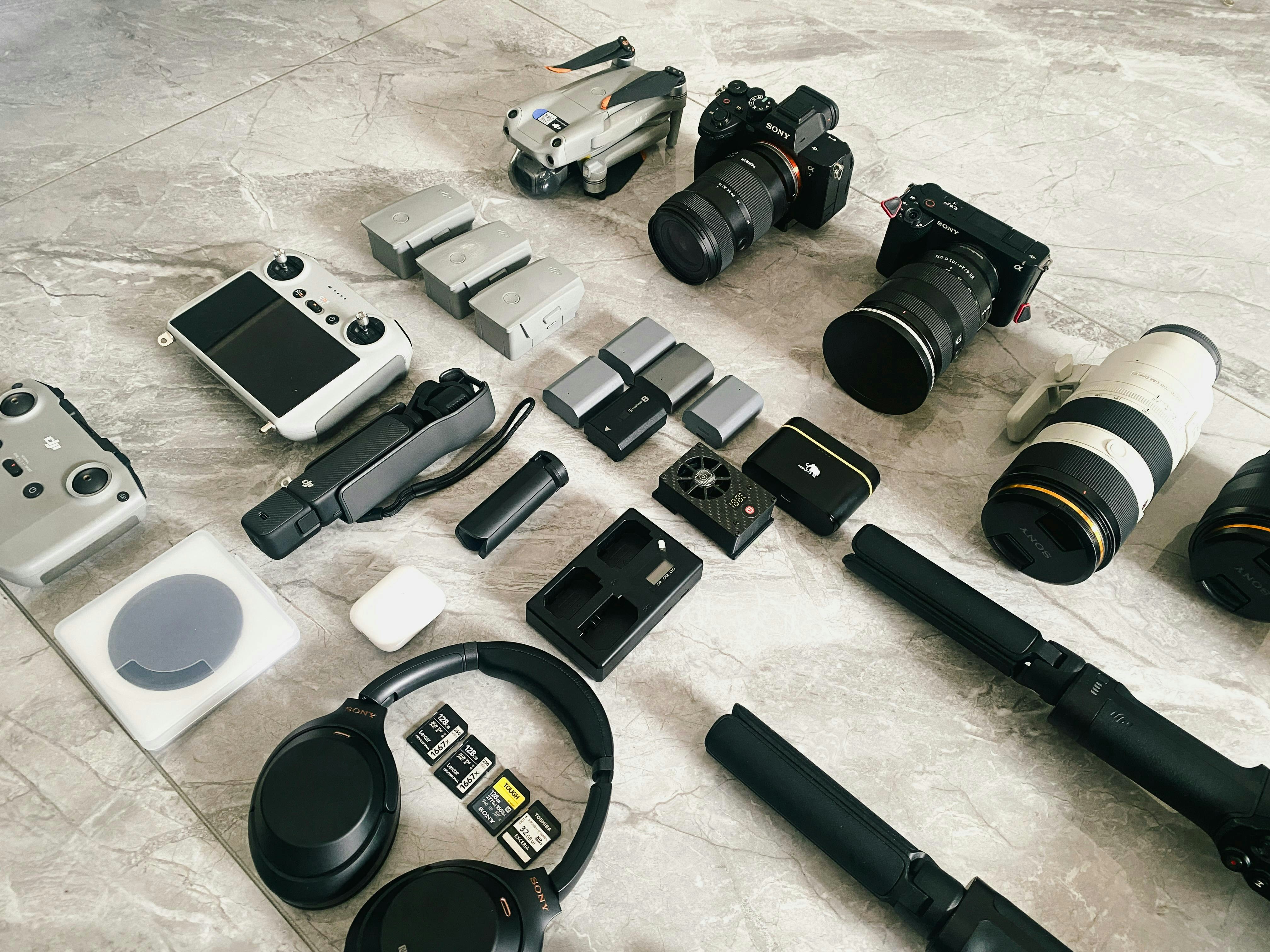
Electronics need more preparation for storage than most household belongings. A television can develop screen damage if it's packed incorrectly, while computers and gaming consoles contain components that are sensitive to moisture and temperature changes. Knowing how to store electronics in a storage unit helps you avoid preventable damage, especially when those devices will be sitting unused for several months.
At NC Storage Zones, we offer standard and climate-controlled storage options in Hubert for people who need extra room during a move, home renovation, or extended period away. Our facility is located at 409 Bear Creek Road, near Queens Creek Road, and serves residents around Hubert, Swansboro, and Jacksonville. For electronics, choosing the right environment is the first part of protecting your equipment.
Why Electronics Need Special Care in Storage
Most electronics are designed to operate and remain inside environments with relatively stable conditions. Once they're placed in storage, the surrounding temperature, moisture levels, and packaging become important considerations. A device doesn't have to be running for environmental conditions to affect its internal components. Moisture is one of the biggest concerns. Excess humidity can contribute to corrosion on electrical contacts and circuit boards, while condensation can develop when equipment moves between environments with significantly different temperatures. Even if a device looks fine from the outside, moisture inside the housing can create problems when it's powered on again.
Physical damage is another concern. Screens can crack under pressure, connectors can bend, and loose accessories can scratch equipment during transportation. Proper packaging reduces those risks, but it won't compensate for an unsuitable storage environment.
Should You Use Climate-Controlled Storage for Electronics?
For computers, televisions, gaming systems, cameras, and other valuable devices, climate-controlled storage is usually the better choice, particularly for longer storage periods. A more stable temperature reduces exposure to extreme changes, while moisture management is especially important for electronic components. At our Hubert facility, we offer both climate-controlled and standard units. Our climate-controlled spaces are intended for belongings that benefit from protection against coastal North Carolina's heat and humidity, including electronics. You can learn more about the differences in our guide to choosing climate-controlled storage.
Climate control doesn't eliminate every storage risk, and it shouldn't replace proper packing. It also doesn't automatically mean that humidity is maintained at a specific percentage. If your equipment requires a particular temperature or humidity range, check its manufacturer's storage specifications and confirm that the unit can accommodate them.
Prepare Your Electronics Before Packing
Clean Every Device Before Storage
Start by turning off and unplugging your equipment. Dust should be removed from exterior surfaces, ventilation openings, and accessible ports before packing. A soft microfiber cloth works well for screens and polished surfaces, while a soft brush can loosen dust around vents without forcing debris farther into the device.
Avoid spraying cleaning solutions directly onto electronics. If a manufacturer permits a cleaning product, apply it to the cloth rather than the equipment and follow the product instructions. Make sure every surface is completely dry before wrapping or boxing the device. For printers, follow the manufacturer's storage instructions for ink cartridges, toner, and printheads. Some printers require cartridges to remain installed to prevent the printhead from drying out, so removing them without checking the manual can create additional problems.
Back Up Important Files and Personal Information
Before storing a computer, tablet, or external hard drive, back up any information you wouldn't want to lose. Storage protects the physical equipment, but it isn't a substitute for a reliable data backup. Hardware can fail even when it's been handled and stored carefully. For computers and external drives, maintain a separate copy of important files outside the storage unit. If you're putting away an older device that you no longer use, consider whether it contains saved passwords, personal documents, or account information that should be removed before storage.
Disconnect Cables and Accessories
Remove detachable cables, controllers, power adapters, and other accessories before packing. Leaving cables attached creates unnecessary pressure on ports when equipment shifts inside a box. It also makes devices more difficult to wrap securely. Coil cables loosely instead of bending them tightly around power adapters. Label each cable with the device it belongs to, then place related accessories together in a small bag or separate compartment. Keep those bags with the appropriate device whenever the packaging allows. For equipment with removable batteries, consult the manufacturer's instructions before storage. Loose batteries shouldn't be left inside boxes where their terminals could contact metal objects, and damaged or swollen batteries should never be placed in storage.
How to Pack Electronics for a Storage Unit
Use Original Boxes When Possible
The original packaging is often the best option because its inserts were designed to support that particular device. Molded foam or fitted cardboard helps keep equipment from shifting and reduces pressure on vulnerable areas during transportation. If you no longer have the original packaging, choose a sturdy box with enough room for protective cushioning. Electronics should fit securely without being compressed. Anti-static packaging is preferable for exposed computer components, internal drives, and circuit boards because ordinary packing materials can generate static electricity. Avoid placing ordinary bubble wrap directly against exposed electronic components. Use an appropriate anti-static bag first, then add cushioning around it. For complete devices, use a clean protective sleeve or suitable wrapping material before adding padding.
Keep Screens Protected and Upright
Televisions and computer monitors need particular attention because their screens can be damaged by concentrated pressure. Use a properly sized television or monitor box with protective inserts, and avoid allowing packing materials to press directly against the display. Keep large flat-screen televisions upright during transportation and storage unless the manufacturer specifies otherwise. Don't stack heavy boxes on top of televisions or lean furniture against their screens. Even when a display is turned off, pressure against the panel can cause permanent damage. For smaller monitors, tablets, and laptops, protective sleeves or fitted cases provide an extra barrier against scratches. Close laptops before packing and avoid placing anything heavy on their lids.
Label Boxes Clearly
Label each box with the type of equipment inside and its intended orientation. A simple inventory can also record the device's model, serial number, and the accessories packed with it. Keep a copy of that inventory outside the unit so you can identify equipment without opening every box. Photographing electronics before packing is useful for documenting their condition. Include visible identifying information when appropriate, but keep serial numbers and other sensitive details in a private record rather than writing them on the outside of boxes.
How to Store Different Types of Electronics
Televisions and Computer Monitors
Large displays should remain in their protective boxes, upright, with enough clearance to prevent nearby items from pressing against them. Remove detachable stands only when the manufacturer's instructions permit it, and pack those components separately. Don't use a television box as a shelf, even if it appears sturdy. Keep the box somewhere it won't be bumped when other belongings are moved. If the television is particularly large, measure its packaged dimensions before selecting a unit so you can accommodate it without squeezing it between furniture.
Desktop Computers and Laptops
Desktop computers should be completely shut down and disconnected before storage. If the computer contains a heavy graphics card or other components that require special transport precautions, follow the manufacturer's instructions for securing them. Avoid unnecessary disassembly if you're unfamiliar with the equipment. Laptops should be stored in protective cases with nothing resting on their screens. Before putting one away for several months, check the manufacturer's recommended battery charge level and storage temperature. Rechargeable batteries can deteriorate during prolonged storage, especially when left completely discharged.
Gaming Consoles and Audio Equipment
Remove discs from gaming consoles and disconnect controllers, external drives, and cables. Allow the equipment to cool after use before packing it. Keep ventilation openings free of loose packing material, and use fitted cushioning to prevent movement inside the box. Speakers and audio receivers also need protection from pressure and moisture. Large speakers should remain upright when their manufacturer recommends that orientation, with their grilles protected from contact. Avoid stacking heavy equipment on top of receivers or speakers with delicate controls.
Cameras and Photography Equipment
Cameras deserve particular attention because lenses and internal optical components can be affected by moisture. Clean the exterior surfaces, attach the appropriate lens caps, and use padded cases that prevent the equipment from shifting. For cameras with removable batteries, follow the manufacturer's long-term storage instructions. Keep lenses in suitable protective cases and consider appropriate moisture-control products where the manufacturer permits them. Any desiccant used inside packaging should be kept separate from delicate surfaces and replaced when necessary.
What About Batteries During Long-Term Storage?
Battery care deserves its own preparation step because different battery chemistries have different storage requirements. Rechargeable lithium-ion batteries are common in laptops, cameras, tablets, and wireless accessories, but they shouldn't all be treated like ordinary removable household batteries. For devices with built-in rechargeable batteries, follow the manufacturer's instructions for charge level, temperature, and periodic maintenance. Don't attempt to remove a battery that isn't designed to be user-removable. Before renting, confirm the facility's rules for storing battery-powered equipment. Damaged, swollen, or recalled lithium-ion batteries should not be placed in a storage unit. The U.S. Environmental Protection Agency's guidance on lithium-ion batteries explains safe handling and appropriate recycling options, including precautions for exposed battery terminals.
How to Arrange Electronics Inside Your Storage Unit
Once your equipment is packed, placement matters almost as much as the packaging itself. Electronics should be kept away from items that could leak, topple, or place pressure on their boxes. Avoid stacking heavy furniture, tools, or tightly packed containers above delicate devices. Shelving is useful for smaller electronics, provided the shelves are stable and rated for the weight you're placing on them. Keep equipment in its protective packaging, and don't put heavy boxes on top of lighter ones. Large televisions should have their own upright space instead of being squeezed into a stack of household belongings.
For renters storing electronics alongside furniture, place heavier, less frequently needed items first. Leave a clear path to anything you might retrieve during the rental period. This reduces the amount of handling required whenever you need a particular device. At NC Storage Zones, all our units offer ground-level drive-up access, and our gate is accessible 24 hours a day. That means you can load boxed electronics directly from your vehicle without carrying them up stairs. Our property also has controlled gated entry, video surveillance, and smart locks.
Can Electronics Stay in Storage for Several Months?
Yes, many electronics can remain in storage for several months or longer if they're prepared correctly and kept within their manufacturer's recommended environmental conditions. The exact duration depends on the equipment, its battery, and the conditions inside the unit. Devices containing rechargeable batteries may require periodic attention, while equipment without batteries has different maintenance concerns. If you're storing computers or other valuable electronics for an extended period, plan occasional inspections and check that their packaging remains dry and undamaged. For equipment containing irreplaceable files, maintain separate backups throughout the storage period.
What to Do Before Using Electronics After Storage
When you're ready to retrieve your equipment, inspect the packaging before opening it. Look for signs of moisture, crushed corners, or other damage that might indicate the device was affected while stored. If a box feels damp, don't immediately connect the equipment to power. After unpacking, allow electronics to reach room temperature before switching them on, especially if they've been moved between environments with noticeably different temperatures. This gives the equipment time to acclimate and reduces the risk of powering on a device while condensation is present. Check power cords, connectors, and batteries for visible damage before use. If you notice corrosion, swelling, moisture inside a device, or an unusual smell, don't attempt to operate it. Have the equipment inspected by a qualified technician or follow the manufacturer's guidance.
Find the Right Space for Your Electronics in Hubert, NC
The best storage arrangement depends on the size of your equipment and how long you'll be keeping it away. A few boxes of computer accessories need considerably less room than a collection of televisions, desktop computers, and office equipment. Measure your packed devices before choosing a unit, especially if you need to keep large displays upright. At NC Storage Zones, our climate-controlled options include 5x10, 10x10, and larger unit configurations, alongside standard storage spaces. Our facility at 409 Bear Creek Road offers ground-level access, so moving boxed electronics in and out doesn't require navigating stairs or elevators. Unit availability and current pricing can be checked online.
If you're planning to put electronics away during a move, renovation, or longer transition, you can explore storage options from NC Storage Zones to compare available unit sizes and determine which environment suits your equipment. Choosing enough space for proper packing and keeping sensitive devices within their recommended storage conditions will matter more than fitting everything into the smallest possible unit.
Categories